Blocks
Calculated fields
Compute a number from other answers and store it with the response.
A calculated field stores a number the form computes from other answers. Respondents cannot type in it.
You write an expression. The form definition keeps that expression. Each response stores the computed number after submit.
Screenshot placeholder
In the editor, add two Number questions labeled Quantity and Unit price. Insert a Calculated field labeled Line total. Type the two block ids with * between them. Capture the number cards, the id under each label, and the expression box.
Replace this box: save a PNG at public/docs-screenshots/logic-calculated-field.png

Use a calculated field when you need a stored number, such as:
- A line total, for example quantity times unit price.
- A simple score from number answers.
- A rounded fee or tax.
How to add one:
- Add the number questions you want to use.
- Insert Calculated fields from Advanced, or type
/calculated. - Copy each question id. The id sits under the label and looks like
quantityorunit_price. - Type those ids in the expression box, with numbers and
+ - * /. - Leave Required off. The browser checks required before the server computes the value.
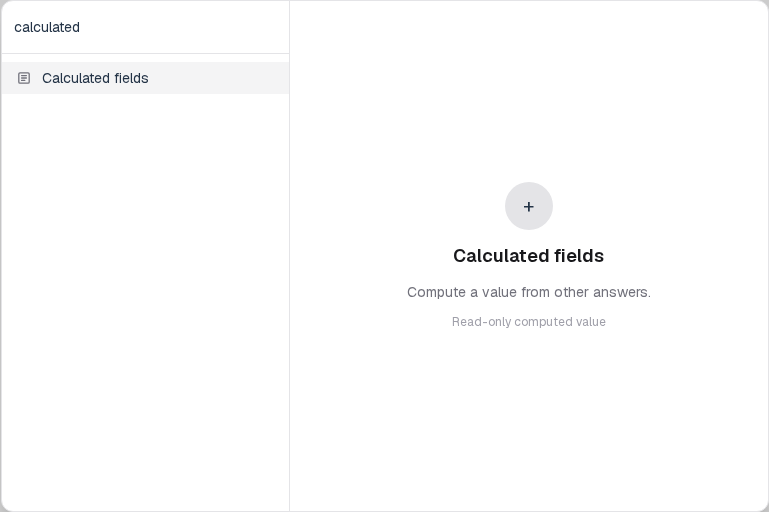
Screenshot placeholder
In the editor, open the insert dialog and filter to calculated. Capture the Advanced group and the Calculated fields row.
Replace this box: save a PNG at public/docs-screenshots/logic-calculated-field-insert.png
The expression can use field ids, numbers, parentheses, and these operators.
| Token | Meaning |
|---|---|
| + - * / | Add, subtract, multiply, divide. |
| min(...) | Smallest argument. |
| max(...) | Largest argument. |
| round(...) | Nearest integer. Extra arguments are ignored. |
qty * unit_price
round(subtotal * 1.2)
max(0, qty - allowance)
Replace qty, unit_price, subtotal, and allowance with the ids under those questions.
You will find this block in the Advanced group. See Question types for the full catalog.