Blocks
Multi-select
Let the person pick several options from one list.
Multi-select stores a list of option labels. On the public form it renders as a checkbox list, the same shape as Checkboxes.
Use the name Multi-select when you want the insert catalog to say “pick several from a menu.” The saved answer is still a list of labels.
Screenshot placeholder
In the editor, insert Multi-select. Set the label to Topics. Rename options to Billing and Access. Capture the card and both option rows.
Replace this box: save a PNG at public/docs-screenshots/block-multi-select.png
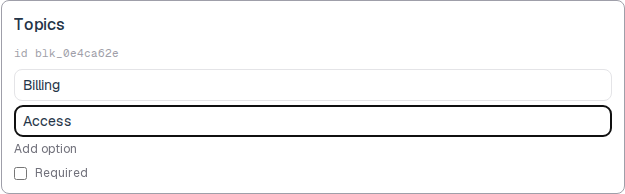
Use multi-select when several labels can apply, such as:
- Topics, tags, or product areas.
- A list you may later restyle as a menu.
How to add one:
- Open the form editor and click
+ Insert block, or type/multi. - Pick
Multi-selectfrom the Questions group. - Edit the label and the option list.
- To convert later, use
Block typeon the card. The option list stays when you switch between choice blocks.
Screenshot placeholder
In the editor, open the insert dialog and filter to multi. Capture the Questions group and the Multi-select row.
Replace this box: save a PNG at public/docs-screenshots/block-multi-select-insert.png
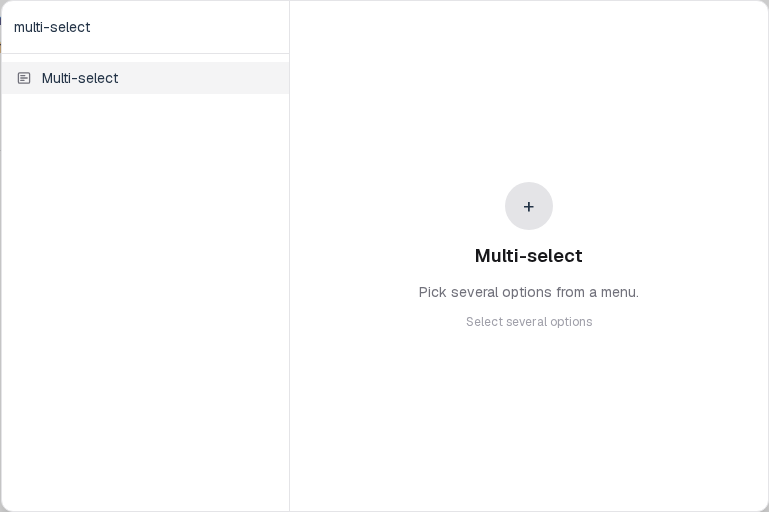
You will find this block in the Questions group. See Question types for the full catalog.