Blocks
Matrix
Ask several rows against the same column options.
A matrix is a grid. Each row is a prompt. Each column is an option. The public form uses one radio per row.
The response stores an object that maps each row label to the chosen column label.
Screenshot placeholder
In the editor, insert Matrix. Set the label to Rate these. Rename rows to Speed and Clarity. Rename columns to Poor and Good. Capture the card and both option lists.
Replace this box: save a PNG at public/docs-screenshots/block-matrix.png
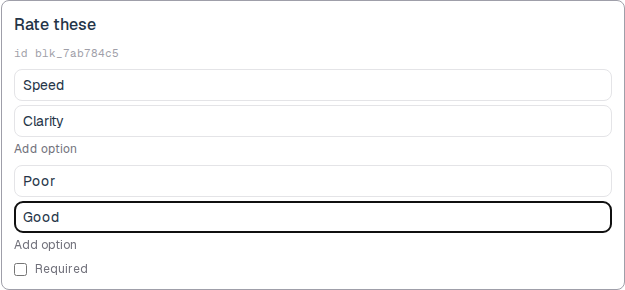
Use a matrix when the same options apply to several prompts, such as:
- Rate several features.
- Agree or disagree on a short statement list.
How to add one:
- Open the form editor and click
+ Insert block, or type/matrix. - Pick
Matrixfrom the Questions group. - Edit the question label. Rename rows, then columns. Add option on each list.
Screenshot placeholder
In the editor, open the insert dialog and filter to matrix. Capture the Questions group and the Matrix row.
Replace this box: save a PNG at public/docs-screenshots/block-matrix-insert.png
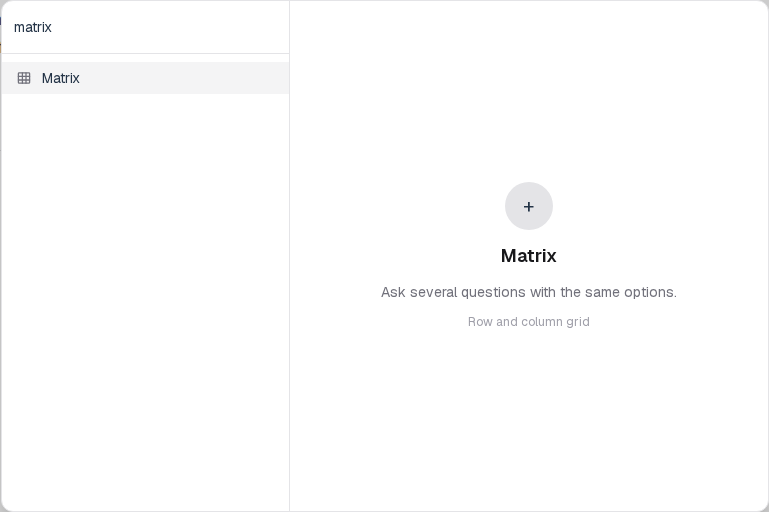
You will find this block in the Questions group. See Question types for the full catalog.