Blocks
Checkboxes
Let the person pick one or more options.
Checkboxes show every option with a box. The person can pick several. The response stores a list of option labels.
Edit the option labels on the card. Add more with Add option.
Screenshot placeholder
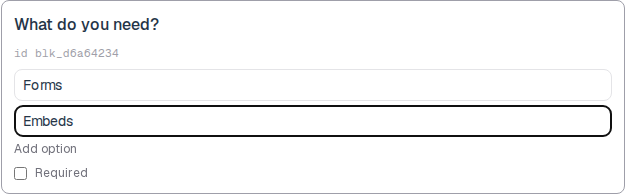
In the editor, insert Checkboxes. Set the label to What do you need? Rename options to Forms and Embeds. Capture the card and both option rows.
Replace this box: save a PNG at public/docs-screenshots/block-checkboxes.png
Use checkboxes when more than one option can be true, such as:
- Features the person wants.
- Days they can meet.
- Any list where none, one, or several answers are valid.
How to add one:
- Open the form editor and click
+ Insert block, or type/checkbox. - Pick
Checkboxesfrom the Questions group. - Edit the question label and each option.
- To convert later, use
Block typeon the card. The option list stays when you switch between choice blocks. - Mark Required if at least one option must be selected.
Screenshot placeholder
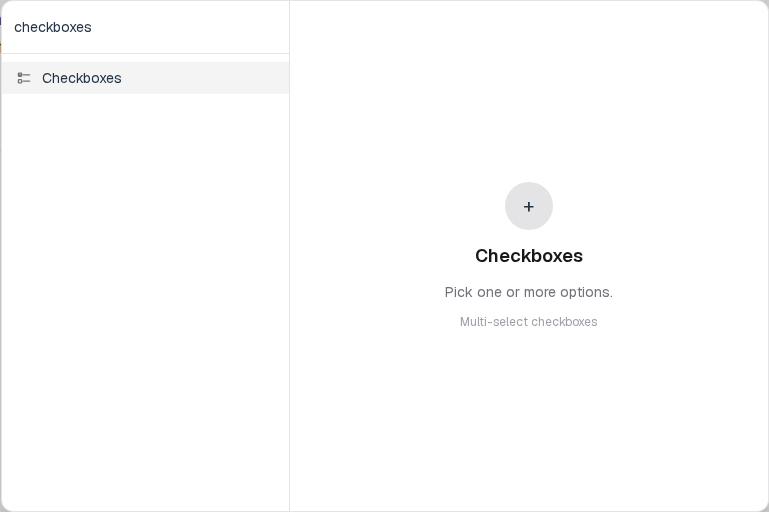
In the editor, open the insert dialog and filter to checkbox. Capture the Questions group and the Checkboxes row.
Replace this box: save a PNG at public/docs-screenshots/block-checkboxes-insert.png
You will find this block in the Questions group. See Question types for the full catalog.