Blocks
Ranking
Let the person put every item in order.
A ranking lists items. The person moves them up or down. The response stores every label once, in that order.
The public form shows numbered rows with Up and Down. Submit fails if the list is not a complete permutation of the options.
Screenshot placeholder
In the editor, insert Ranking. Set the label to Rank these. Rename the items to Price, Speed, and Support. Capture the card and all option rows.
Replace this box: save a PNG at public/docs-screenshots/block-ranking.png
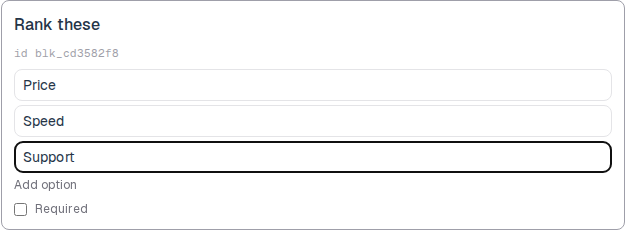
Use ranking when order matters, such as:
- Priority of features.
- Preferred meeting times.
How to add one:
- Open the form editor and click
+ Insert block, or type/rank. - Pick
Rankingfrom the Questions group. - Edit the label and the item list. Add option for more items.
- To convert later, use
Block typeon the card. The option list stays when you switch between choice blocks.
Screenshot placeholder
In the editor, open the insert dialog and filter to rank. Capture the Questions group and the Ranking row.
Replace this box: save a PNG at public/docs-screenshots/block-ranking-insert.png
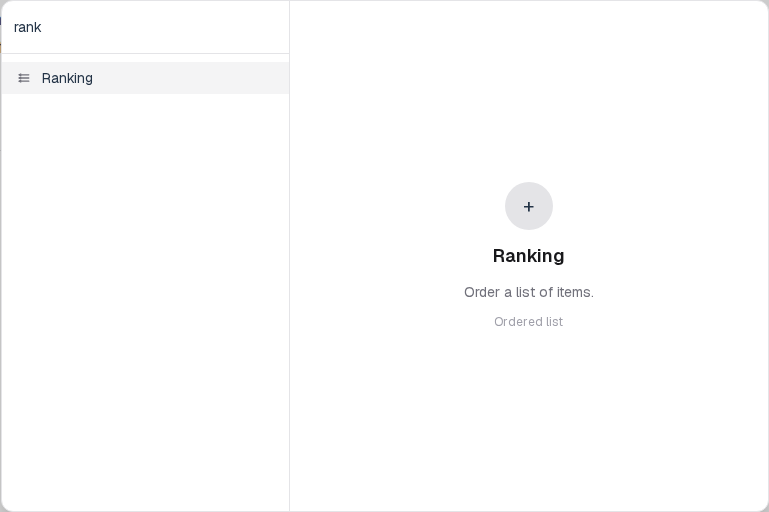
You will find this block in the Questions group. See Question types for the full catalog.