Blocks
Short answer
Collect one line of text, such as a name or a short id.
A short answer is one line of text. The public form shows a single input. The response stores the string.
Use the label as the question. Turn on Required when the form cannot submit without this value.
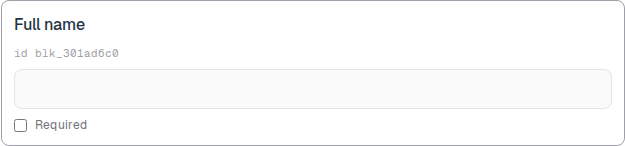
Screenshot placeholder
In the editor, insert Short answer. Set the label to Full name. Capture the card, the id line, and the one-line preview.
Replace this box: save a PNG at public/docs-screenshots/block-short-answer.png
Use a short answer when you need a brief string, such as:
- A name, company, or job title.
- A short code, ticket id, or order number.
- Any value that fits on one line.
How to add one:
- Open the form editor and click
+ Insert block, or type/short. - Pick
Short answerfrom the Questions group. - Edit the label. Mark Required if the person must answer.
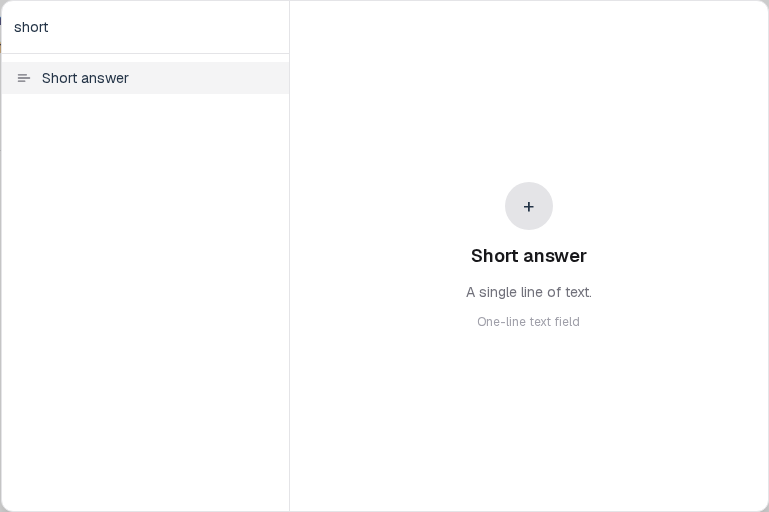
Screenshot placeholder
In the editor, open the insert dialog and filter to short. Capture the Questions group and the Short answer row.
Replace this box: save a PNG at public/docs-screenshots/block-short-answer-insert.png
You will find this block in the Questions group. See Question types for the full catalog.