Blocks
Long answer
Collect a multi-line message or comment.
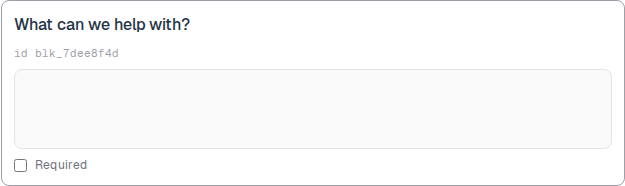
A long answer is a multi-line text area. The public form shows several rows. The response stores the string.
Use it when a one-line box is too small. The editor preview is a tall empty box.
Screenshot placeholder
In the editor, insert Long answer. Set the label to What can we help with? Capture the card, the id line, and the tall preview box.
Replace this box: save a PNG at public/docs-screenshots/block-long-answer.png
Use a long answer when you need room to write, such as:
- A support message or project brief.
- A cover letter or comment.
- Any answer that may wrap to several lines.
How to add one:
- Open the form editor and click
+ Insert block, or type/long. - Pick
Long answerfrom the Questions group. - Edit the label. Mark Required if the person must write something.
Screenshot placeholder
In the editor, open the insert dialog and filter to long. Capture the Questions group and the Long answer row.
Replace this box: save a PNG at public/docs-screenshots/block-long-answer-insert.png
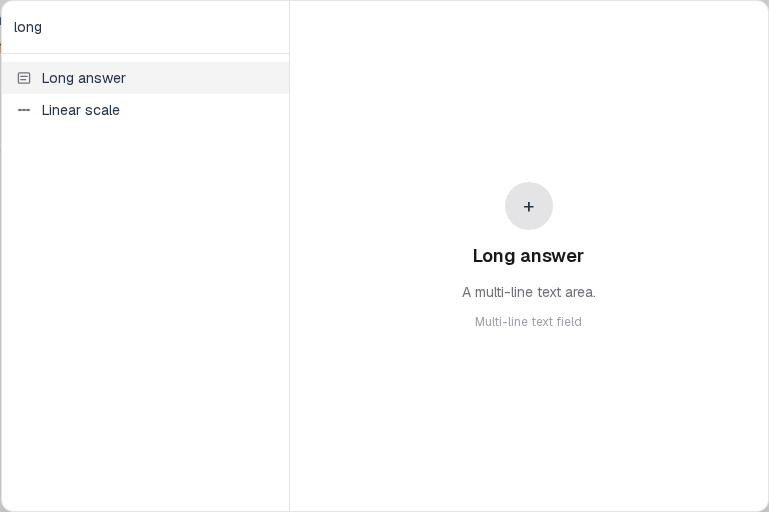
You will find this block in the Questions group. See Question types for the full catalog.