Blocks
Respondent's country
Ask the person to select their country from a list.
Respondent's country is a searchable list of countries. The person selects one. The response stores an ISO country code.
The form does not read the country from the IP address. The person chooses it.
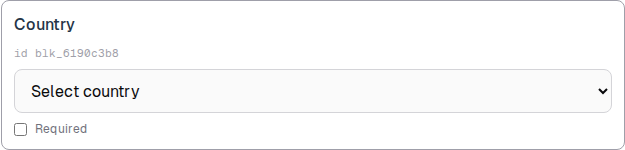
Screenshot placeholder
In the editor, insert Respondent's country. Capture the card, the id line, and the disabled country dropdown.
Replace this box: save a PNG at public/docs-screenshots/block-respondents-country.png
Use this block when you need a stated country, such as:
- Shipping or billing country.
- A region question you will filter in Responses.
How to add one:
- Open the form editor and click
+ Insert block, or type/country. - Pick
Respondent's countryfrom the Questions group. - Edit the label if you want a different prompt.
Screenshot placeholder
In the editor, open the insert dialog and filter to country. Capture the Questions group and the Respondent's country row.
Replace this box: save a PNG at public/docs-screenshots/block-respondents-country-insert.png
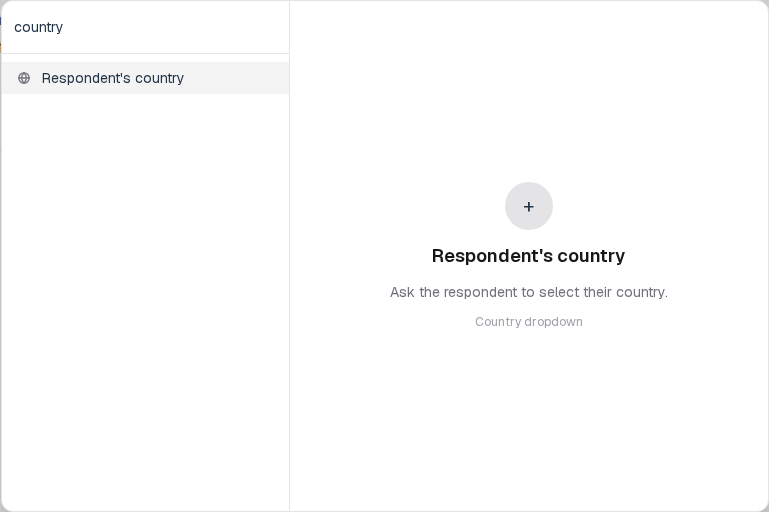
You will find this block in the Questions group. See Question types for the full catalog.